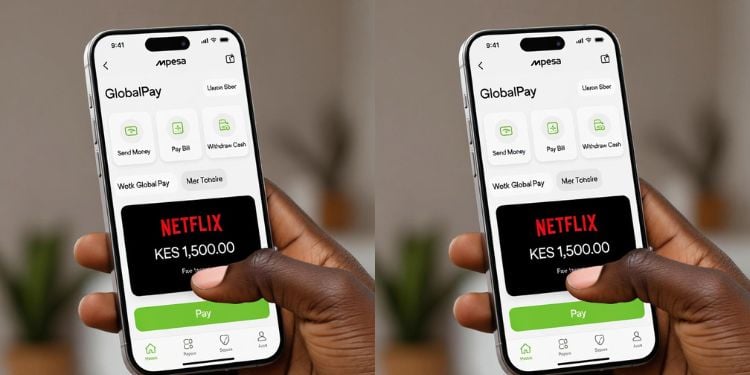
Safaricom Plc has explained why some Netflix subscription charges can be processed without a fresh M-Pesa PIN, stating that customers who save their card details on streaming platforms effectively authorize automatic renewals.
In a post, Safaricom user Malcom Makori said he discovered a successful Netflix transaction after waking up, and the payment had gone through despite knowing that every Safaricom M-Pesa transaction requires a PIN.
“I woke at 10 am; upon checking my phone, there was a successful transaction to Netflix. I didn’t authorize that; normally you have to enter the PIN for every single transaction. What is wrong with GlobalPay?” he wrote.
Responding to the complaint, the telco said the deduction was likely processed using previously saved card details on the subscription platform.
“Please note that if you have not deleted your card details from the subscription sites, the renewal will be done automatically. To prevent this from happening again, you need to delete the card from Netflix’s website,” the telecommunications company said.
Safaricom’s M-Pesa Global Pay
M-PESA GlobalPay Virtual VISA Card is a partnership between M-PESA and VISA. The virtual card is linked to your M-PESA wallet and enables you to make payments to international online merchants for goods and services using your card details.
Once M-Pesa GlobalPay is activated, a customer can make Netflix payments work like a standard Visa card transaction.
Netflix does not interact directly with M-Pesa; instead, it processes payments through the virtual Visa card generated by GlobalPay.
When setting up or updating your payment details on Netflix, you simply enter the virtual card information, including the card number, expiry date, and CVV. These details can be accessed through the M-Pesa app or USSD after activation.
Also Read: Safaricom Reveals How Users Can Access Deleted Calls and SMS History Records
After successful setup, Netflix treats the subscription as a recurring card payment. Each billing cycle, the platform automatically charges the GlobalPay card linked to your M-Pesa wallet, so funds are deducted directly from your M-Pesa balance.
If there are sufficient funds, the subscription renews without interruption. If the wallet does not have enough money at the time of billing, the subscription is temporarily paused rather than fully canceled.
Once funds are added back to the M-Pesa account, Netflix can automatically resume service on the next successful billing attempt.
Also Read: Safaricom Addresses Error Affecting 5G Home Payments on M-Pesa
How to Remove Payment Methods from Your Account
You can remove your card details from Netflix by following these simple steps:
- Sign in to your Netflix account and go to Account settings.
- Open the Manage Payment Info section.
- Select the payment method you want to remove and click Delete.
- If only one payment method is linked, first add a new one before deleting the existing card.
- Once removed, the card will no longer be charged for future renewals unless added again.
- Users on partner billing plans may need to contact customer support to make changes.
- In some cases, certain third-party payment methods may not be removable due to provider restrictions
Follow our WhatsApp Channel and X Account for real-time news updates.