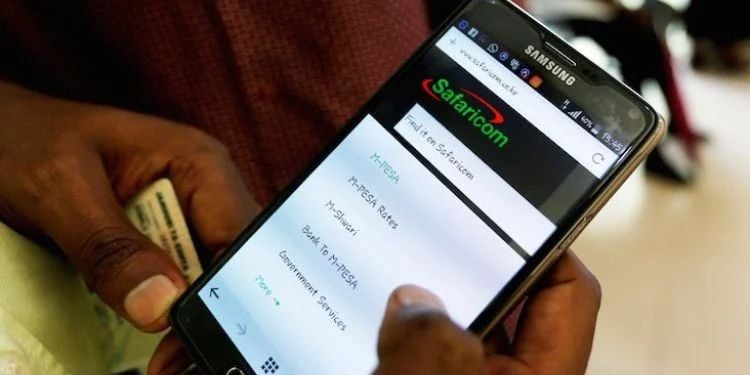

Safaricom has outlined how users can access call and SMS history records that may have been deleted or lost from their devices.
In response to a user inquiry on April 23, Safaricom has outlined how customers can access call and SMS history records that may have been deleted or lost from their devices.
This is after a user requested assistance retrieving the call history for 11 March 2026, after failed attempts to locate the records on their phone.
“I want to know my call history of 11/03/2026. Can’t find it anywhere. Advise,” asked X user @kk_kiprotich.
Safaricom responded by directing the user to its official self-service platform to verify usage.
Steps to Check Safaricom Calls and SMS History via My Account portal
The following steps are a guide to users navigating the process;
- Open a browser on your phone or computer
- Go to: https://myaccount.safaricom.co.ke/account/usage
- Log in using your Safaricom number
- Enter your phone number
- Enter the OTP (one-time password) sent via SMS
- After login, navigate to the Usage section
- Select the type of usage you want to view:
- Calls
- SMS
- Data
- Choose the date range (if options are available)
- View the displayed records showing activity and usage details
Notably, the availability of detailed call records depends on account type (PostPay has more detailed itemized records than PrePay) and Safaricom’s data retention period.
How the App Works
The Safaricom My Account usage page at https://myaccount.safaricom.co.ke/account/usage is a web-based self-service tool that allows customers to view and manage their mobile usage activity.
The platform provides a detailed breakdown of data bundles, airtime, SMS usage, and, in some cases, services such as Lipa na M-Pesa, depending on the account type.
Users can track how much data has been consumed, the remaining balance, and the specific bundles being used over a selected period.
Also Read: How Safaricom’s Incorrect Fuliza Billing on M-PESA Led to Surprise Deductions for Kenyans
It also displays airtime and SMS usage, helping customers monitor their line’s expenditure and usage patterns.
The service is accessible after logging in with a Safaricom number and verifying identity through a one-time password (OTP).
This Safaricom feature is designed to give customers real-time visibility of usage linked to their mobile account and billing system.
How to Increase Okoa Jahazi Limit
The borrowing limit under Okoa Jahazi is not fixed and can increase over time based on user behavior.
Safaricom, in a previous response, stated that the limit is refreshed weekly, and if one wants to refresh the limit, the user should dial.
Also Read: Why Okoa Jahazi Cannot Be Turned Off on Safaricom Lines
“Okoa Jahazi limit is based on your airtime usage the previous week, and so it is reviewed weekly,” the statement read.
Safaricom uses an automated system that evaluates customer activity.
Key factors that influence limit increases include:
- Frequent and consistent airtime top-ups
- Timely repayment of borrowed airtime
- Active use of Safaricom services such as calls, SMS, and data
- Long-term SIM usage history without defaulting on balances
Customers who regularly repay their borrowed airtime promptly are more likely to see gradual increases in their Okoa Jahazi limit.