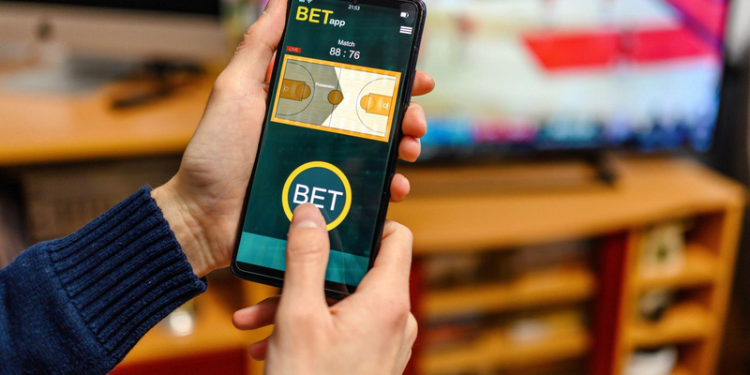


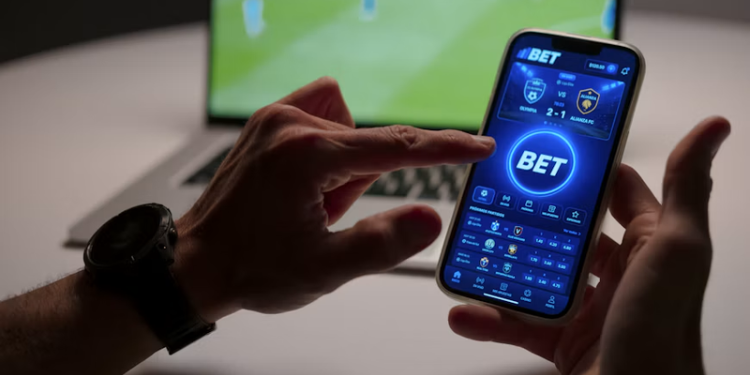
A sports evening can involve several matches, overlapping start times, and a phone screen full of information.A useful sportsbook app puts that information in a clear order.
Finding a fixture, reading its market descriptions and reviewing account activity should feel like connected tasks.
For Android users, the experience also includes device compatibility, notification settings, and updates.
Knowing what each feature does makes it easier to assess an app beyond its appearance. The practical details matter before, during, and after a sporting event.
A Clear Starting Point on Google Play
An Android listing provides information before installation. The app title, publisher details, screenshots, and update notes establish what the product is.
Device compatibility is another consideration, because Android phones differ in software versions and hardware.
The FanDuel Sportsbook app listing describes coverage of NFL, NBA, and MLB markets, along with live betting features. These are product descriptions, rather than confirmation that every feature is available to every reader.
Installation and wagering eligibility are separate matters.
The linked listing describes a sportsbook operating in selected US states, subject to location and eligibility requirements.
Its presence on Google Play should not be interpreted as confirmation of availability in Kenya.
Google Play also provides reviews and app details that can help users compare their options.
These complement the screenshots, product descriptions, and compatibility information available before installation.
Navigation Should Follow the Sporting Calendar
The main screen should offer a clear route from a sport to a competition, then to an individual event.
Someone following basketball needs recognizable league names and fixtures, not a long list of unrelated selections.
Three details make that journey easier to understand:
- Event identification: Team or participant names establish which contest a page concerns, while dates distinguish separate meetings between the same opponents,
- Market grouping: Totals, handicaps and player statistics belong under clear headings that explain the subject of each selection,
- Return routes: Predictable navigation lets users revisit the schedule after examining an event without repeatedly starting their search again.
Start times need equally clear presentation. A displayed time is useful only when its time zone is understood. This becomes particularly relevant when following competitions played in another country.
These features organize the sporting information around the person reading it. They help with everyday tasks, such as finding a fixture during a busy evening.
Live Features Need Clear Status Information
A live event page presents a different reading experience from an upcoming fixture. Scores, playing periods, and available selections appear while the sporting contest continues.
The interface should distinguish each element rather than treating every changing number alike.
Scores and Market Availability
A score describes the event’s progress, while a market label explains an available betting question. Some markets may temporarily become unavailable even though the match continues.
Clear status messages help distinguish that situation from a pause in the sport itself.
A television broadcast and a sportsbook display may also update at different moments. Neither screen should automatically be treated as perfectly synchronized with the other.
Selections and Confirmation
Adding a selection to a bet slip is different from receiving confirmation of acceptance. The confirmed record identifies the market and terms attached to the wager.
A live display may later show a different handicap or total, making those two records distinct.
Research Should Complement the Event Page
Sports information becomes more useful when its purpose is clear. A fixture page identifies the participants and available markets. Research adds background about the teams, their recent performances, and the individual roles within a lineup.
For example, NFL news and analysis on FanDuel provides coverage alongside its broader football resources.
Reading that material serves a different purpose from opening an event page. It can explain a player’s involvement or provide context for a team’s recent results.
The same distinction applies across sports. Minutes played can help explain a basketball player’s contribution, while passing targets describe a receiver’s involvement in American football.
Each measurement concerns a particular aspect of performance.
Readable research also identifies the period its figures describe. A season average and a single match total are different reference points.
Keeping them clearly labeled helps players connect the coverage with the game they are following.
Android Settings Shape Everyday Use
App features sit alongside controls provided by Android itself. Notification permissions and update settings affect how the application fits into the rest of the phone.
Their exact appearance can differ between devices and Android versions.
Notifications That Match Personal Preferences
An app may offer its own alert categories, while Android provides notification controls for the application.
These settings serve related purposes.
One concerns the updates requested within the service, while the other governs how notifications appear on the device.
Android also shapes how alerts appear. Google’s overview of notification features in Android 16 describes grouping notifications from the same app.
For players following several sports, that presentation works alongside the alert preferences available within the sportsbook.
Updates and Compatibility
Google Play supports manual and automatic app updates. Release information can explain changes, while compatibility details help identify whether the current version supports a particular device.
Update settings are therefore part of maintaining the app, alongside understanding its features.
Account History and Help Complete the Experience
A sportsbook app continues to serve a purpose after an event page closes.
Account records and help resources provide access to information that players may want to revisit.
Useful account features include:
- Activity records: Recognizable event names and dates help distinguish individual selections,
- Status labels: Clear descriptions separate accepted selections from records awaiting final settlement,
- Help resources: Searchable explanations provide context for market terminology and routine account questions,
- Contact options: Accessible support routes explain how to request assistance when an answer requires account information.
The surrounding instructions matter as much as the menu names. Verification requests should identify what information is needed, while support messages should explain the next step. Account tools feel coherent when their wording matches the rest of the app.
Useful Features Keep the Sport Within Reach
A modern Android sportsbook earns its usefulness through connected everyday tasks. The fixture is recognizable, the market description is readable, and the account record explains what was accepted.
Device settings and supporting coverage fit around those essentials.
The result is an experience players can understand while keeping their attention on the sport itself.
What to Expect From a Modern Sportsbook App for Android
A sports evening can involve several matches, overlapping start times, and a phone screen full of information.
A useful sportsbook app puts that information in a clear order.
Finding a fixture, reading its market descriptions and reviewing account activity should feel like connected tasks.
For Android users, the experience also includes device compatibility, notification settings, and updates.
Knowing what each feature does makes it easier to assess an app beyond its appearance. The practical details matter before, during, and after a sporting event.
A Clear Starting Point on Google Play
An Android listing provides information before installation. The app title, publisher details, screenshots, and update notes establish what the product is.
Device compatibility is another consideration, because Android phones differ in software versions and hardware.
The FanDuel Sportsbook app listing describes coverage of NFL, NBA, and MLB markets, along with live betting features. These are product descriptions, rather than confirmation that every feature is available to every reader.
Installation and wagering eligibility are separate matters.
The linked listing describes a sportsbook operating in selected US states, subject to location and eligibility requirements.
Its presence on Google Play should not be interpreted as confirmation of availability in Kenya.
Google Play also provides reviews and app details that can help users compare their options.
These complement the screenshots, product descriptions, and compatibility information available before installation.
Navigation Should Follow the Sporting Calendar
The main screen should offer a clear route from a sport to a competition, then to an individual event.
Someone following basketball needs recognizable league names and fixtures, not a long list of unrelated selections.
Three details make that journey easier to understand:
- Event identification: Team or participant names establish which contest a page concerns, while dates distinguish separate meetings between the same opponents,
- Market grouping: Totals, handicaps and player statistics belong under clear headings that explain the subject of each selection,
- Return routes: Predictable navigation lets users revisit the schedule after examining an event without repeatedly starting their search again.
Start times need equally clear presentation. A displayed time is useful only when its time zone is understood. This becomes particularly relevant when following competitions played in another country.
These features organize the sporting information around the person reading it. They help with everyday tasks, such as finding a fixture during a busy evening.
Live Features Need Clear Status Information
A live event page presents a different reading experience from an upcoming fixture. Scores, playing periods, and available selections appear while the sporting contest continues.
The interface should distinguish each element rather than treating every changing number alike.
Scores and Market Availability
A score describes the event’s progress, while a market label explains an available betting question. Some markets may temporarily become unavailable even though the match continues.
Clear status messages help distinguish that situation from a pause in the sport itself.
A television broadcast and a sportsbook display may also update at different moments. Neither screen should automatically be treated as perfectly synchronized with the other.
Selections and Confirmation
Adding a selection to a bet slip is different from receiving confirmation of acceptance. The confirmed record identifies the market and terms attached to the wager.
A live display may later show a different handicap or total, making those two records distinct.
Research Should Complement the Event Page
Sports information becomes more useful when its purpose is clear. A fixture page identifies the participants and available markets. Research adds background about the teams, their recent performances, and the individual roles within a lineup.
For example, NFL news and analysis on FanDuel provides coverage alongside its broader football resources.
Reading that material serves a different purpose from opening an event page. It can explain a player’s involvement or provide context for a team’s recent results.
The same distinction applies across sports. Minutes played can help explain a basketball player’s contribution, while passing targets describe a receiver’s involvement in American football.
Each measurement concerns a particular aspect of performance.
Readable research also identifies the period its figures describe. A season average and a single match total are different reference points.
Keeping them clearly labeled helps players connect the coverage with the game they are following.
Android Settings Shape Everyday Use
App features sit alongside controls provided by Android itself. Notification permissions and update settings affect how the application fits into the rest of the phone. Their exact appearance can differ between devices and Android versions.
Notifications That Match Personal Preferences
An app may offer its own alert categories, while Android provides notification controls for the application.
These settings serve related purposes.
One concerns the updates requested within the service, while the other governs how notifications appear on the device.
Android also shapes how alerts appear. Google’s overview of notification features in Android 16 describes grouping notifications from the same app.
For players following several sports, that presentation works alongside the alert preferences available within the sportsbook.
Updates and Compatibility
Google Play supports manual and automatic app updates. Release information can explain changes, while compatibility details help identify whether the current version supports a particular device.
Update settings are therefore part of maintaining the app, alongside understanding its features.
Account History and Help Complete the Experience
A sportsbook app continues to serve a purpose after an event page closes.
Account records and help resources provide access to information that players may want to revisit.
Useful account features include:
- Activity records: Recognizable event names and dates help distinguish individual selections,
- Status labels: Clear descriptions separate accepted selections from records awaiting final settlement,
- Help resources: Searchable explanations provide context for market terminology and routine account questions,
- Contact options: Accessible support routes explain how to request assistance when an answer requires account information.
The surrounding instructions matter as much as the menu names.
Verification requests should identify what information is needed, while support messages should explain the next step.
Account tools feel coherent when their wording matches the rest of the app.
Useful Features Keep the Sport Within Reach
A modern Android sportsbook earns its usefulness through connected everyday tasks.
The fixture is recognizable, the market description is readable, and the account record explains what was accepted.
Device settings and supporting coverage fit around those essentials.
The result is an experience players can understand while keeping their attention on the sport itself.