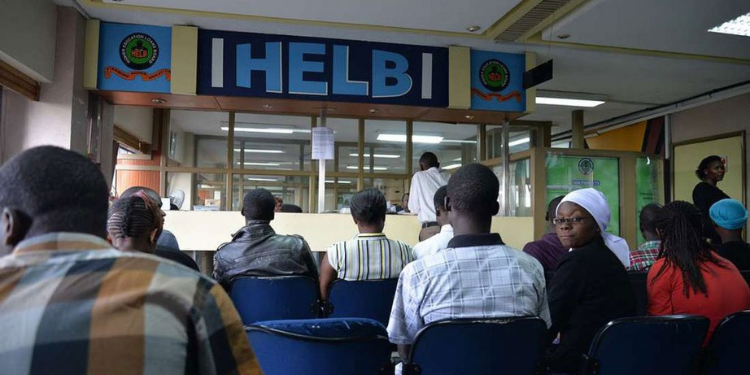
The government announced that students placed in universities and colleges can now apply for scholarships and student funding through the Higher Education Financing (HEF) Portal or the Higher Education Loans Board (HELB).
The announcement was made on July 8 during the KUCCPS Stakeholder Forum, where Education Cabinet Secretary Julius Ogamba unveiled the 2026 university placement results.
Students who have not yet obtained a National ID card can still apply for government scholarships through HELB or HEF portal using their KCSE index number.
How Students Without National IDs Can Apply for HELB
Below is the application process:
1. Visit the Student Portal
Go to the Higher Education Financing portal through the official websites:
Click Student Portal.
2. Register for an Account
- Click Register if you do not have an account.
- If you already have one, log in using your email address and password.
3. Select ‘No’ When Asked About a National ID
During registration, the system will ask whether you have a National ID number.
- Select No if you do not have an ID card
- You will be prompted to use your KCSE examination details instead
4. Enter Your KCSE Details
Provide:
- KCSE examination year.
- KCSE index number.
- KUCCPS programme code as indicated in your admission letter
Click Validate
Also Read: HELB Loan Application for KUCCPS 2026 Freshers: Requirements, Documents and How to Apply
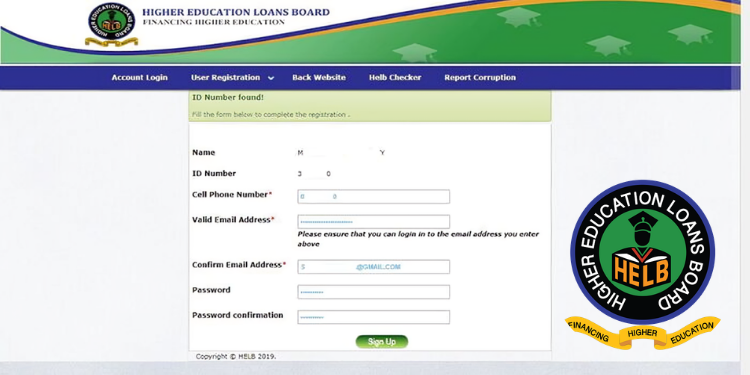
5. Complete Registration
After validation:
- Enter a valid email address.
- Create and confirm your password.
- Complete the CAPTCHA verification.
- Click Register.
An activation link will be sent to your email.
6. Activate Your Account and Log In
Open the activation email (check your spam or junk folder if necessary) and activate your account.
Log in using your registered email address and password.
7. Verify Your Phone Number
Enter a valid mobile phone number.
A verification code will be sent via SMS. Enter the code to continue.
Also Read: Govt Opens HELB Loan Applications for First Time Applicants
8. Complete Your Profile
Fill in your personal information and provide consent for the collection and processing of your personal data.
9. Enter Your Residence Details
Provide your current residential information and save before proceeding.
10. Add Your Education Details
Enter details for:
- Primary school.
- Secondary school.
- University or TVET institution.
11. Fill in Parent or Guardian Information
Provide the required details about your parents or guardians
12. Apply for Funding
Choose the funding you wish to apply for:
- Scholarship.
- HELB loan.
- Both scholarship and loan, where eligible.
13. Accept the Terms
Read and accept:
- Data processing consent.
- Loan terms and conditions (for HELB applicants).
14. Provide Payment and Guarantor Details
For loan applicants:
- Enter your preferred payment details (bank or mobile money).
- Provide guarantor information where required.
15. Submit Your Application
Review all the information entered and click Submit to complete your application.
Follow our WhatsApp Channel and X Account for real-time news updates.