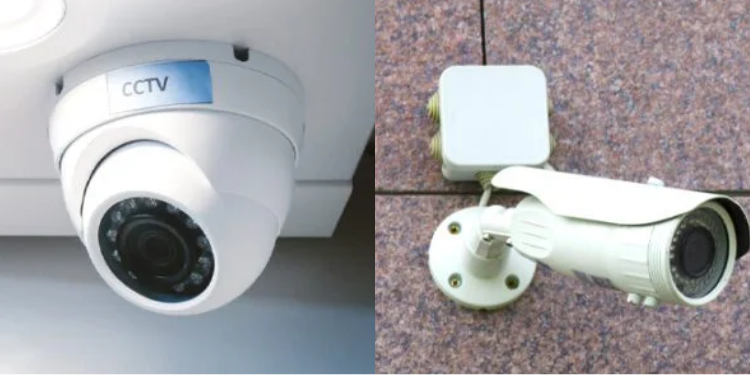
CCTV cameras can be installed at a personal level, especially models that are not complex and do not require technicians.
Before installation begins, one must assemble all required tools and equipment.
Tools and Equipment Required For Installation
A standard CCTV kit includes cameras, a DVR (Digital Video Recorder) or NVR (Network Video Recorder), a hard disk drive for storage, power supply units, connectors, and coaxial or Ethernet cables depending on the system type.
Tools required include drills, screws, wall plugs, a ladder, cable clips, and protective conduit for wiring.
Once all equipment and tools have been set, one has to identify spots where to place the cameras, such as entry points, perimeter walls, driveways, and indoor areas, to ensure maximum coverage and eliminate blind spots.
Also Read: CCTV Camera Prices in Kenya 2026: Full Kits from KSh 15,000 – Complete Breakdown
Camera Mounting and Wiring Installation
Using a ladder, mount the CCTV cameras in the designated locations. It is recommended to use a smooth, secure, and stable surface to mount the cameras, such as a wall or ceiling.
Use the provided drill and appropriate screws and mounting brackets to mount the cameras.
CCTV Cameras are mounted at elevated positions, usually 2.5-3 meters above ground, to prevent tampering and provide better viewing angles.
Wired cameras are connected to the DVR or NVR via video and power cables.
Cables should be routed properly through walls or protective conduits to prevent damage from weather, rodents, or accidental cuts.
Wireless cameras require less physical wiring since they only need power and a WiFi connection.
Steps on setting up wireless connection
- Connect the DVR/NVR to your router via Ethernet cable
- Download the required manufacturer’s app by scanning the QR code usually provided in the user manual or the devices
- Once you have installed the app, create an account and add your device by scanning the QR code from the DVR menu or entering the serial number.
The cameras will now be connected, and test live view on both Wi-Fi and mobile data can be checked to test performance.
DVR/NVR Setup and System Configuration
Once the cameras have been installed and connected at their respective locations, the DVR or NVR unit is set up indoors in a secure, well-ventilated place.
Also Read: Best CCTV Cameras in Kenya 2026: Top Brands, Prices and Where to Buy
The device connects to a monitor or television via HDMI or VGA cables to view the footage and access system settings.
In the system, one can set dates and time and also customize the camera names according to the locations they have been placed.
One is also required to select recording modes such as continuous, scheduled, or motion-detection. It is also required to format the hard drives to ensure smooth video storage, and storage settings are adjusted based on capacity needs.
Things to Avoid When Installing CCTV Cameras
- Avoid mounting the cameras directly in bright sunlight since they reduce image quality.
- Cameras should also not be obstructed by trees, walls, and roofing structures.
- Cameras should be installed within easy reach, vandalism or tampering.
- Components, including connectors and storage devices, should be compatible with the DVR or NVR system.
- Wiring should be protected in conduits and properly secured.
- Ensure that date and time settings are correctly set
Follow our WhatsApp Channel and X Account for real-time news updates.