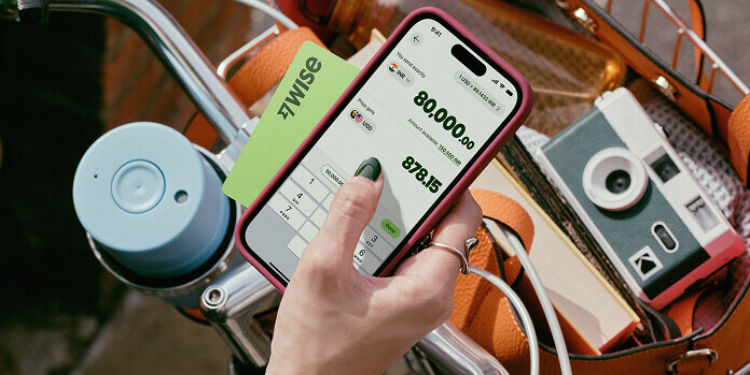

This article is published as part of an affiliate marketing program. It contains affiliate links, and we may earn a commission if you purchase through these links, at no extra cost to you.
Wise is a global financial technology company that specializes in international money transfers and multi-currency banking services.
Founded in 2011, it has grown into one of the most widely used platforms for sending, receiving, and managing money across borders.
The platform allows users to hold, send, and spend money in more than 40 currencies, including USD, at the real mid-market exchange rate.
Who Uses Wise?
If you regularly send or receive money across borders, Wise is worth considering.
It is especially useful for freelancers working with international clients, digital nomads juggling finances in different countries, frequent travellers trying to avoid high foreign transaction fees, and businesses involved in import and export.
Its range of products, including the Wise Personal Account, Wise Business, and Wise Platform, offers solutions for both individuals and companies seeking a simpler way to manage international payments.
Let’s Review Wise Personal Account
After exploring Wise’s personal account offering, one of its biggest strengths is its flexibility. The account allows users to hold, send, receive, and convert money in more than 40 currencies, and spend in over 150 countries using local currencies.
This makes it particularly useful for frequent travellers, people relocating abroad, freelancers working with overseas clients, and anyone managing finances across different markets.
The Wise debit card adds another layer of convenience by helping users avoid many of the foreign transaction fees typically charged by banks.
For users in Kenya, for example, Wise supports receiving money through bank transfers in several major currencies.
Local account details are available for currencies such as the US Dollar (USD), British Pound (GBP), Euro (EUR), Australian Dollar (AUD), Canadian Dollar (CAD), Singapore Dollar (SGD), Hong Kong Dollar (HKD), Hungarian Forint (HUF) and New Zealand Dollar (NZD), while Swift transfers extend support to additional currencies including the South African Rand (ZAR), Ugandan Shilling (UGX), Japanese Yen (JPY), Chinese Yuan (CNY), Swiss Franc (CHF) and others.
That said, Wise is not entirely fee-free because users still incur transfer charges.
The platform uses the mid-market exchange rate, the same rate commonly displayed on Google, rather than adding a hidden markup to the exchange rate.
If you send USD 1,000 via Wise, it is converted to KSh 127,565 and is delivered to the recipient in a short time.
The transaction fee for this transaction would be in the region of USD 14.18, which is already factored into the amount sent.
For people who regularly move money across borders, the transparency around what is charged and what the recipient receives is one of Wise’s biggest selling points.
Business Account
If cross-border transactions are part of your day-to-day operations, Wise Business provides tools designed to make the process smoother and more transparent.
Its biggest advantage is the multi-currency account, which allows businesses to hold, manage, and exchange more than 40 currencies from a single dashboard.
This can simplify operations for companies dealing with overseas clients, suppliers, or contractors.
Wise also provides local account details in several major currencies, enabling businesses to receive payments as if they had a domestic bank account in those markets.
This makes it easier for international clients to pay without incurring extra cross-border transfer charges.
For businesses making regular overseas payments, Wise supports transfers to more than 160 countries using the mid-market exchange rate rather than applying a hidden markup.
The platform clearly displays the fees before a transaction is completed, giving users a clearer picture of what they are paying.
Other practical features include batch payments, which allow companies to pay multiple suppliers or contractors at once, reducing the administrative burden of processing payments individually.
However, just like the Personal Account, the Wise Business Account is not entirely free.
Businesses still need to factor in transfer charges and currency conversion costs when planning international transactions.
For example, when I send USD 30,000, it will convert to KSh 3,842,677 for the recipient.
The total fee for the transaction was USD 303.89 and is already included in the amount sent.
Also Read: Best Online Courses to Advance Your Career in 2026
How Long Does Sending Money Abroad Take?
One tip to keep in mind is to always initiate Wise transfers on business days, especially when the funds are needed urgently.
Although some transfers are completed within seconds, the actual delivery time depends on the destination and the payment method selected.
For US dollar transfers within the United States, ACH payments generally take between zero and three business days to reach the recipient.
Wire transfers are usually quicker, arriving the same day or the next working day, although receiving banks may charge an incoming wire fee.
For recipients outside the US, SWIFT transfers typically take between one and six working days.
Wise provides an estimated delivery date before you complete the transaction, helping users know when the funds are likely to arrive.
The amount you can transfer through Wise depends on the payment method you choose. For local ACH transfers, users can send up to USD 1 million per transaction.
If you are using a local wire transfer funded from your USD balance, the limit increases significantly to USD 6 million.
Meanwhile, international payments made through the SWIFT network have a maximum transfer limit of USD 1.6 million.
These limits make Wise suitable not only for personal remittances but also for businesses handling large cross-border transactions.
Does It Have a Debit Card?
If you are based in Kenya and travelling to the United States, you do not need to rely on a traditional bank card that often applies high foreign exchange markups.
Instead, you can load Kenyan Shillings (KSh) into your Wise account, convert them into US Dollars (USD) at the real mid-market exchange rate, and then use your card to spend abroad just like a local.
The Wise debit card is a multi-currency card that allows users to spend and withdraw money in more than 160 countries while using the true exchange rate, helping reduce hidden banking costs.
Key features
- Multi-currency holding: Manage over 40 currencies in one account for easier international spending and transfers.
- Automatic conversion: If you do not have the required currency, Wise converts funds from your balance at the lowest available fee.
- Digital and physical access: Use a digital card instantly via Apple Pay or Google Pay, and optionally order a physical card for ATM withdrawals and in-store payments.
- No monthly fees: There are no subscription or maintenance charges for holding the card.
- ATM withdrawals: Free withdrawals are available up to a monthly limit that varies by region.
Also Read: Best VPN Services for Remote Workers in 2026
How Safe is Using Wise For Money Transfer?
Wise is generally considered a secure platform for holding and transferring money, with multiple safeguards in place to protect customer funds.
The company uses strict internal controls, fraud detection systems, and trained security teams to help prevent unauthorized access and financial crime.
Customer funds are kept separate from the company’s operating funds and are typically held in low-risk, highly liquid assets such as government bonds from stable economies like the UK, US, and EU, as well as money market funds.
In addition to investment safeguards, Wise also distributes a portion of customer funds across reputable banking partners to further strengthen liquidity and reduce risk concentration.
Although Wise is regulated by the Financial Conduct Authority (FCA) in the UK as an electronic money institution, it is not a traditional bank.
This means that balances are not covered by standard deposit protection schemes such as the Financial Services Compensation Scheme (FSCS).
Instead, customer money is protected through a safeguarding model in which equivalent value is held in segregated accounts and assets.
Security is also reinforced at the user level through measures like two-step verification.
This requires users to confirm their identity when logging in, often using a one-time code, fingerprint authentication, or facial recognition, adding an extra layer of protection against unauthorized access.
How You Create an Account?
To get started with Wise, you first need to create an account, which you can do either on its website or by downloading the mobile app on your phone or tablet.
During registration, users are required to provide basic personal details and an email address. To verify identity, you will also be asked to upload a valid photo ID such as a passport or driving licence.
This verification step usually takes a few minutes, so be sure to factor it in before making your first transfer.
Once the account is set up and verified, users can begin sending money internationally by first funding their Wise account from their bank and selecting the currency they wish to send or hold.
Process of Transferring Money to Someone
Making a transfer starts by logging into the account and checking the cost of the transaction.
Wise provides a full breakdown of fees, the exchange rate, and the estimated amount the recipient will receive, along with an expected delivery time based on the chosen payment method.
Before confirming, users can also compare Wise’s quoted rate with those from traditional banks or other providers to assess its competitiveness.
To complete a transfer, you enter the recipient’s details, including their name and bank information, then fund the payment from your bank account.
Once the payment is initiated, Wise begins processing the transfer.
After submission, users can monitor the progress of the transaction in real time through the app or website, including updates on when the funds are expected to arrive.
Sending Money to Businesses
Sending money to a business through your Wise account is an easy process designed for both individuals and companies.
Log in to your account
Start by signing in to Wise using either the website or mobile app. Once inside, you will land on your dashboard where all your balances and payment options are available.
Choose the sending currency
Select the currency you want to pay from. In the web version, this appears in the left-hand menu, while in the app it appears at the top of the screen.
Enter payment details
Click Send, then enter the amount you wish to transfer. You can either enter the amount you are sending or the amount the business should receive.
Select payment type
Indicate that the transfer is being made to a Business or Charity to confirm that the recipient is an organization rather than an individual.
Add recipient details
Enter the business’s bank information or simply choose a saved recipient if you have sent money to them before. The required details may include account name, account number, and bank information depending on the country.
Review and send
Double-check all the information, then confirm the transfer by clicking Send money. Once completed, you will receive a notification, and you can track the payment status directly within your Wise account.
Steps of Withdrawing Money
- Log in to your account
Start by signing in either through the Wise website or the mobile app. Once logged in, you’ll land on your account dashboard where you can view your balances and begin the withdrawal process.
- Choose the currency to withdraw
From your list of available currencies, select the one you want to move. On the website, this appears in the side menu, while in the app it appears at the top of the screen.
- Start the transfer
Click or tap on Send (shown with an arrow icon), then enter the amount you want to withdraw and select the destination currency if conversion is needed.
At this stage, Wise will automatically show you the exchange rate, applicable fees, and the final amount the recipient will receive.
- Enter bank details
Next, add the bank account you want the money sent to, or choose a previously saved recipient. If it is a new account, you will be prompted to enter details such as:
- Account holder name
- Account number or IBAN
- Bank name
- Any additional details required depending on the currency (such as routing number for USD transfers)
Review all the details carefully, then confirm the transfer by clicking or tapping Send money.
Once completed, the funds are processed, and you’ll receive a notification. You can also track the progress of your withdrawal directly in your account.
Editor’s note: This article reflects independent editorial judgment. The Kenya Times maintains the same factual and sourcing standards for affiliate content as for regular news coverage.