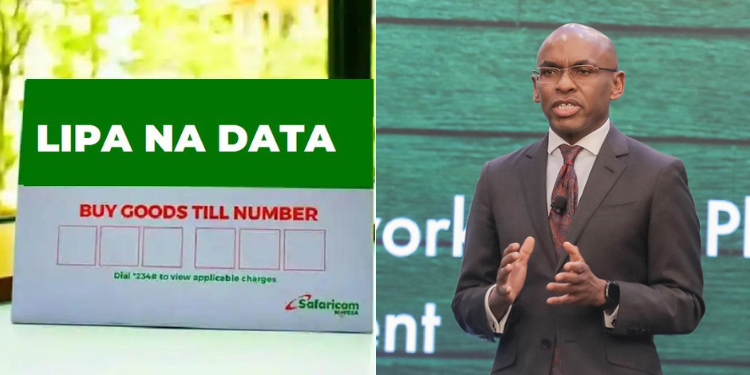
Safaricom users can pay for goods and services using internet data bundles instead of cash or M-Pesa through the Lipa na Data service, provided they are subscribed to eligible data plans.
The service allows qualifying customers to use their available data bundles to pay merchants that accept Lipa na Data through the Buy Goods and Pay Bill options.
Lipa na Data is a Safaricom payment service that lets customers use their available data bundles to pay for goods, services and selected bills.
Instead of making payments using cash or M-Pesa, eligible customers can complete transactions using their internet data bundles.
Safaricom Users Who Qualify for Lipa na Data
Lipa na Data is not available to all Safaricom customers. The service can only be used by subscribers on selected data plans.
Eligible customers include:
Customers with Neo (non-expiry) data bundles: These are data bundles that do not expire after a set period. Instead, the data remains available until it is fully used, allowing customers to convert part of their remaining balance into payments through Lipa na Data.
Customers with Go-Monthly Postpay data bundles: These are subscribers on Safaricom’s monthly postpaid data plans, where customers use data during the billing period and pay their bill later.
Customers on Karibu PostPay DIY data plans: These are customers on Safaricom’s customizable postpaid plans, which allow subscribers to choose a combination of data, voice, and SMS that suits their needs.
To access the service, you must have a minimum of 5GB mobile data on your Safaricom line.
Additionally, it is accessible to Prepaid customers with no-expiry bundles above 5GB.
The service is accessible to Safaricom Postpay customers with a data balance of 5GB and above. If not, you will receive an error message.
Also Read: Safaricom Reduces M-PESA Business Charges- List of New Charges
How to Use Lipa na Data
Customers can access the service by:
Dialling *544# and selecting Lipa na Data, or
Dialling *544*34# directly.
The initial Menu gives you four options. One of the options is to view your data bundles.
Users with 5 GB and above will be able to pay for goods and services. One can pay via PayBill or via Till Number.
The Bundles Calculator gives your bill in Kenya Shillings in its data bundle equivalent.
Use this option to check how much of your data will be used up. Alternatively, use it to check if you have enough data bundles to pay the bill.
Once you select your Payment Method and fill in the details, the next prompt equates the amount you are paying to data bundles. You will then accept or decline to complete the transaction.
What Can You Pay for Using Lipa na Data?
Lipa na Data can be used to pay for goods and services offered by merchants that accept the service through the Buy Goods or Pay Bill options.
It can also be used to pay for Safaricom products and services, which include:
- Fiber payments
- Postpaid bill payments
- Purchase of devices
- Telematic services
- Conversion of data to roaming data
- Postpaid products
- Sambaza
Also Read: Former Safaricom CEO Michael Joseph Lands Role at Giant Money Printer De La Rue
Data-to-Cash Conversion Rate
Lipa na Data converts internet bundles into payment at a rate of KSh0.06 per MB.
The amount of data deducted depends on the value of the transaction.
If the available data balance is insufficient, the system notifies the customer before the transaction is completed.
The customer will need to buy more data or reduce the payment amount.
Lipa na Data only allows customers to pay merchants that accept the service. Data bundles cannot be converted into cash.
Safaricom does not charge an extra fee for using Lipa na Data, and transactions are protected using PIN confirmation and SMS notifications to help keep payments secure.
Follow our WhatsApp Channel and X Account for real-time news updates.