Students receiving their HELB upkeep through M-Pesa may have to wait for further communication before accessing funds already marked as disbursed.
The Higher Education Loans Board (HELB) has previously stated that students whose upkeep has been disbursed should wait for a SurePay confirmation message before accessing the money in their M-Pesa wallets.
The message matters for students who have seen their batch has been paid but cannot access the money in their M-Pesa wallets.
What M-Pesa Students Should Know About HELB SurePay Messages
Students who selected M-Pesa as their upkeep payment method should monitor the phone number linked to their HELB application for the relevant SMS notification.
HELB has previously stated that students who opt for mobile payment or the HELB M-Pesa wallet receive an SMS notification when their funds are disbursed.
The SurePay SMS confirms that funds sent through the HELB M-Pesa wallet are ready for access.
The message is sent to the phone number linked to the student’s HELB payment details.
The board has also explained that students can access their upkeep through M-Pesa after receiving the required confirmation message.
In its response to a student’s query, HELB told students that once they received the second confirmation message, they could access their upkeep funds through M-Pesa by dialing *642#.
The board repeated the guidance in another response to a student whose batch had already been disbursed to an M-Pesa wallet.
“Once you receive the 2nd SurePay confirmation message, you can dial *642# to access the funds,” HELB said.
Also Read: Students Demand Answers After HELB Upkeep Was Allocated: Where Is the Money?
Why Students May See a Delay
A student may therefore see that their batch has been paid without immediately being able to access the money through M-Pesa.
HELB’s previous responses indicate that the disbursement status and the SMS notification are separate stages in the process for mobile-payment recipients.
The board has, at different times, given students waiting periods for the SMS communication. Students should expect the message within 72 hours.
Students whose batches have been marked as paid should therefore keep checking the phone number registered with HELB for the required communication.
How to Access HELB Upkeep Through M-Pesa
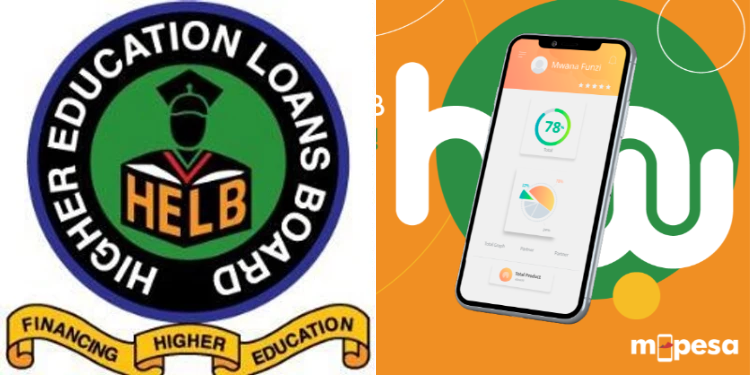
HELB says students can access and withdraw their funds through the HELB Mini App on M-Pesa.
Students should first download the M-Pesa App from the Google Play Store, Apple App Store or Huawei AppGallery.
They should then register on the M-Pesa App using the phone number registered for M-Pesa and ensure they are using Safaricom data bundles.
After logging in, students should go to the home page, select Categories, then choose Education and select HELB.
They can then register on the HELB Mini App and sign in using their M-Pesa-registered phone number.
A verification code will be sent by SMS to complete the login.
Once logged in, students should go to the home page and select the withdraw option to transfer their upkeep funds to their M-Pesa account.
How to Access HELB Upkeep Through USSD
Students can also access their upkeep through USSD.
The procedure provided by HELB is:
- Dial *642# and select the Login option.
- Enter the required personal details to log in.
- Select Withdraw Funds.
- Select Upkeep and enter the amount to withdraw.
- A confirmation message will be sent once the funds have been deposited into the M-Pesa account.
Also Read: HELB 2026 Allocations Out: How to Check Updated University Fee Statements
Students waiting for M-Pesa upkeep should first confirm the status of their disbursement through the official HELB channels.
If their batch has been paid but the money is not yet accessible, they should continue monitoring the registered phone number for the required SMS communication.
Students should also avoid sharing their personal or payment details with individuals claiming to process HELB payments outside the official channels.
The timing of the SMS may vary depending on the disbursement process, and students should rely on communication from HELB.
Follow our WhatsApp Channel and X Account for real-time news updates.