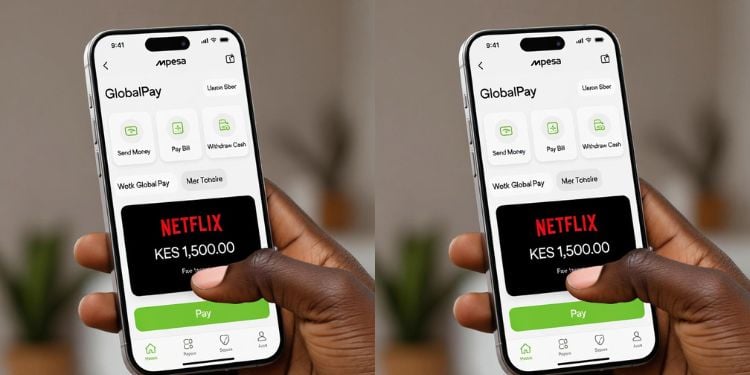
M‑Pesa is central to daily life for many Kenyans who use the platform to pay rent, buy electricity tokens, settle water bills, and cover home internet costs, but when it comes to global streaming services such as Netflix, payment has remained a challenge.
Unlike local service providers, these platforms do not accept Pay Bill or till numbers; instead, they require debit or credit card details for monthly subscriptions.
This requirement has excluded users who rely entirely on M-Pesa, do not have bank cards, or prefer not to use PayPal, making access to popular international streaming services unnecessarily difficult.
So how can you pay for Netflix and other streaming services without a bank card?
M-Pesa GlobalPay
Safaricom introduced a service, M‑Pesa GlobalPay, in June 2022 to allow users to make international online payments using money from their M‑Pesa wallets.
The service works by creating a virtual Visa card linked to your M-Pesa balance. This card is digital; there is no physical card, but it functions exactly like a normal Visa card when paying online.
It provides all the details required by platforms like Netflix, including card number, expiry date, and security code.
Because Netflix only accepts card payments, GlobalPay enables M-Pesa users to subscribe without opening a bank account or owning a physical card.
Also Read: How to Stop Automatic M-Pesa Deductions Using GlobalPay Card
GlobalPay does not require a complicated setup. It can be activated using either the M‑Pesa app or the USSD menu.
Users with the M‑Pesa app can activate GlobalPay by selecting the service and following the prompts. Those without the app can dial *334# and choose the GlobalPay option. Once activated, the virtual Visa card details are generated immediately and are ready for use.
There is no paperwork, no bank visit, and no need to link PayPal.
How to Pay for Netflix Using M‑Pesa GlobalPay
Once M‑Pesa GlobalPay is activated, paying for Netflix works in the same way as using a normal debit or credit card. Netflix does not “see” M‑Pesa directly; it only sees a Visa card, which is why GlobalPay is effective.
When you go to Netflix to sign up or update your payment method, you are asked to enter card details. At this point, you simply enter the virtual Visa card number, expiry date, and security code provided by GlobalPay.
These details are available in the M-Pesa app or via the USSD menu after activation.
After the payment is confirmed, Netflix sets up the subscription as a recurring card payment. Each month, Netflix attempts to charge the subscription fee to the GlobalPay card. Because the card is linked to your M‑Pesa wallet, the money is deducted directly from your available balance.
Also Read: How to Report Fraudulent M-PESA Prompts from Unknown Tills
If your M-Pesa wallet has sufficient funds, the subscription renews automatically and continues uninterrupted. If there is not enough money at the time of billing, Netflix pauses the subscription rather than cancelling it completely.
Once you top up your M-Pesa wallet, Netflix automatically resumes service.
In simple terms, GlobalPay turns your M‑Pesa wallet into a card‑like payment method that Netflix can accept, removing the need for a bank card or PayPal while keeping the payment process automatic and predictable.
Other Streaming Services You Can Pay for Using GlobalPay
The same GlobalPay virtual Visa card can be used on other international platforms that accept Visa payments. These include Spotify, YouTube Premium, Apple TV+, and Amazon Prime Video.
For users who rely solely on M-Pesa, GlobalPay effectively opens access to a wide range of global digital services that were previously difficult to pay for.
Most global streaming platforms charge in US dollars. As a result, Safaricom charges a small foreign exchange fee when processing GlobalPay payments.
However, users are shown the total cost in Kenyan shillings before confirming the payment, making the charges clear upfront, and there are no hidden deductions after confirmation.