


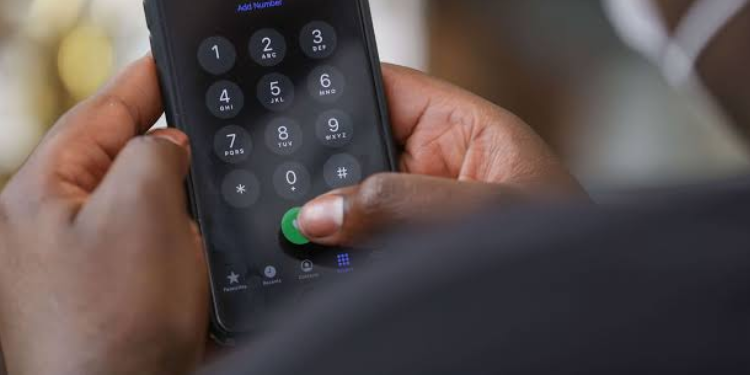
M-PESA Users can now add and remove M-Pesa beneficiaries from Shiriki Pay using the USSD code. Users are authorized to spend from the account holder’s M-Pesa Wallet.
Authorized users can make payments directly to merchants through Lipa na M-PESA (Buy Goods & Paybill) and Pochi la Biashara merchants.
Currently, the feature is only accessible through the *334# USSD code and will be launched in the M-Pesa and Safaricom Apps soon.
Joining Shiriki Pay and Adding a User
Shiriki Pay allows an account holder to authorize someone to make payments directly from their M-PESA wallet. To join:
- Dial: *334#
- Select option14 – Shiriki Pay
- Select Opt In
- Choose option 5 – Add User
- Enter the phone number of the user you want to add
- Enter the monthly spending limit for the user
- Enter your M-PESA PIN and confirm details
Upon completion, you’ll receive a confirmation message indicating that you have added a specific user.
Also Read: Safaricom to Launch Feature That Allows Someone to Spend Directly from Your M-PESA
A message is also sent to the authorized user confirm that the person has been added by a certain person to their Shiriki.
Once added, the user can make merchant payments within the set limit. Withdrawals and peer-to-peer transfers remain restricted to the account holder.
Adding a Nominated Beneficiary
A nominated beneficiary ensures someone you trust can claim your M-PESA funds if needed. To register:
- Dial *334#
- Select option 98 – More
- Select option12 – M-PESA Nominated Beneficiary
- Select your Occupation
- Select the Purpose of your M-PESA Account
- Select your Source of Funds
- Choose Register Nominated Beneficiary
- Enter the first and last names of the Beneficiary
- Select the ID type
- Enter the ID number
- Enter the phone number of the beneficiary
- Select the relationship to the beneficiary
- Confirm the details
- Enter your M-PESA PIN
A confirmation message is sent to you when you add a nominated beneficiary, and the nominated user also receives a message.
Removing a User from Shiriki Pay
Safaricom also allows you to manage and remove authorized users from the service:
- Dial: *334#
- Select option 14 – Shiriki Pay
- Select option 6 – Manage
- Select Delete User
- Confirm the user deletion
- Enter your M-PESA PIN
A message is sent to the two parties confirming removal from the service.
Also Read: Safaricom and Equity Among Most Traded Kenyan Companies on NSE [Full List]
Opting out of Shiriki Pay
The service also allows users to leave the service. Users who want to leave the service should:
- Dial: *334#
- Select option 14 – Shiriki Pay
- Select Manage
- Choose option 6- Opt out
Limitations of Safaricom’s Shiriki Pay
To protect users, the service is limited to authorized users. The restrictions include:
-
Spending cannot exceed the Account Holder’s set limit.
-
Cash withdrawals or sending money to other individuals is not allowed.
-
The Account Holder can revoke access at any time.
-
The Authorized User can also stop using the service at any time.
-
Transactions that have already been completed cannot be reversed.
-
Person-to-person transfers are allowed.
Safaricom also has the right to suspend or terminate access for either party without prior notice in cases of suspected fraud, security threats, incomplete identity verification, or legal requirements.
Follow our WhatsApp Channel and X Account for real-time news updates.




SHIRIKIPAY app is good to grant someone to use financial service from the wallets…can grant the user to start a business and pay pochi la biashara merchant… @+254743902040,SHIRIKIPAY may not allow withdrawal or send money to the individuals…It is only used to add beneficiary users and set them a limit for the start of their own business;and repay to the pochi la biashara merchant…. @SMART.SHIRIKIPAY