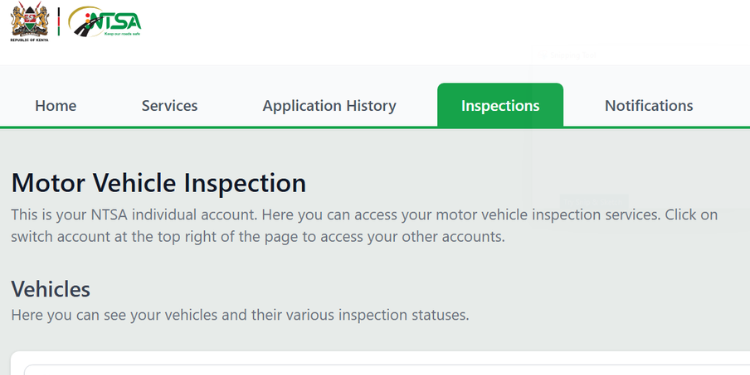
The National Transport and Safety Authority (NTSA) is set to commence mandatory annual inspections of motor vehicles older than four years from July 1, 2026.
Under the Traffic Act 2026 regulations, it will be an offense for any person to operate or allow another person to operate a motor vehicle on a public road or public place without a valid inspection test conducted as required by law.
Motorists who fail to take their vehicles to mandatory inspection tests could face up to six months in jail, a KSh20,000 fine, or both under the Traffic Act 2026.
The Authority said the inspections are part of its mandate under the NTSA Act, 2012, which gives it responsibility for the registration, licensing, inspection, and certification of motor vehicles and motorcycles.
NTSA Requires Online Booking for Vehicle Inspection
The authority requires all inspection bookings to be made through the eCitizen self-service portal.
Before starting the process, applicants must have an eCitizen account and a valid vehicle registration number.
A vehicle logbook, either original or a copy, is also required for verification purposes.
Applicants should also ensure they have access to a mobile phone to make payments via M-Pesa.
Also Read: NTSA Announces Mandatory Vehicle Inspections Starting July
How to Book for Inspection
Below is a step-by-step guide to the application process.
- Step 1: Log in to eCitizen
- Visit the NTSA services portal through your eCitizen account.
- Log in using your registered ID number and password.
- If you cannot access your account, use the Forgot Password option to reset your password via the OTP sent to your registered mobile number.
- Step 2: Access the NTSA Portal
- From your eCitizen dashboard, select the NTSA service.
- Click New NTSA Portal to access the Transport Integrated Management System (TIMS).
- Step 3: Open Motor Vehicle Services
- Select Motor Vehicle from the menu.
- Click View, then choose Motor Vehicle Services.
- Step 4: Select the Inspection Type
- Choose the inspection service applicable to your vehicle, such as:
- Annual Vehicle Inspection
- PSV Inspection
- Re-inspection
- Change of Ownership Inspection
- Select the correct vehicle registration number.
- Choose the inspection service applicable to your vehicle, such as:
Also Read: NTSA Mandatory Vehicles Inspection Fees And Rules for Privately Owned Cars, Motorcycles and PSVs
- Step 5: Pay the Inspection Fee
-
- Proceed to payment through M-Pesa.
- Enter your phone number and complete the payment using the STK Push prompt.
- Wait for payment confirmation before leaving the page.
- Keep your M-Pesa confirmation message for reference.
- Step 6: Book an Inspection Centre and Date
- Click Book Now after payment.
- Choose your preferred NTSA inspection centre.
- Select an available inspection date and time.
- Step 7: Download and Print Your Booking Documents
- Open Application History on your dashboard.
- Download and print the inspection booking slip and payment receipt.
- Carry the printed documents to the inspection centre on the appointment date.
Follow our WhatsApp Channel and X Account for real-time news updates.