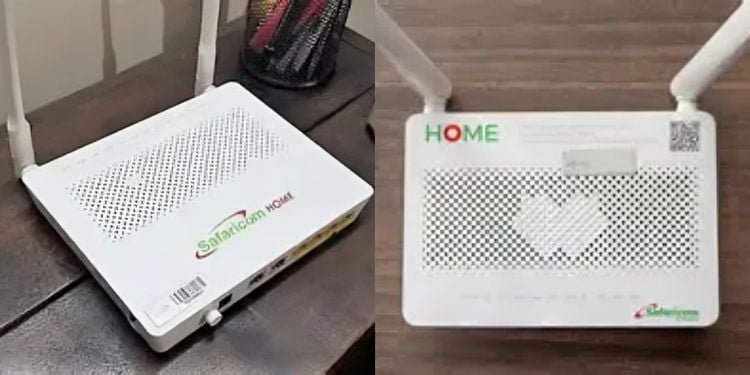
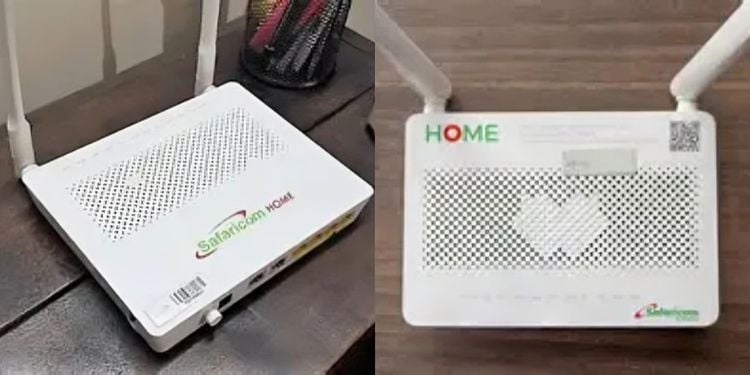
Kenya’s telco giant, Safaricom PLC, has responded to a customer inquiry about the availability of a KSh 800 Safaricom Home Fiber plan.
In response on June 13, the company clarified that there is no Home Fiber package priced at KSh 800 and directed users to its official platform for available packages at Safaricom Home | Internet Connectivity.
“Hi Kihiu, sorry we have no Ksh 800 home fiber plan. Please check our packages via internet.safaricom.co.ke// ^PS,” Safaricom clarified.
On the official Safaricom platform, Safaricom Home Fiber packages are structured into five monthly plans with varying speeds, pricing, and usage limits.
Safaricom Home Fiber Plans, Prices
The Bronze package offers 40 Mbps at Ksh 2,999, valid for 30 days. It supports basic internet use such as web browsing, social media, email, SD movie and music streaming, and general surfing. It does not support multiple-device streaming, superfast downloads, or CCTV device capabilities.
The Silver package provides 60 Mbps at Ksh 4,100 per month. It supports faster browsing, video calls, HD streaming on up to three devices, moderate streaming, superfast downloads, and CCTV device capability.
The Gold package offers 150 Mbps for 30 days at Ksh 6,299. It supports 4K streaming, online gaming, downloading, multi-device use, superfast downloads, and CCTV connectivity.
Also Read: Safaricom Responds After Users Complain of Delayed M-PESA Messages
The Diamond package offers 500 Mbps at Ksh 12,499 per month. It supports 4K streaming, heavy gaming and downloading, multiple device streaming, superfast downloads, and CCTV device capability.
The Platinum package provides 1000 Mbps for Ksh 20,000 and is valid for 30 days. It supports 4K and 8K streaming, heavy gaming and downloading, multi-device use, superfast downloads, music streaming, and home automation features.
How to Get Connected to Safaricom Home Fiber Plans
To access Safaricom Home Fiber, users first confirm coverage in their area by dialing *400#, using the MySafaricom App, visiting neo-internet.safaricom.co.ke, or calling 400 from a Safaricom line or 0722 002 100 from any network.
Once coverage is confirmed, registration can be completed via *400#, the MySafaricom App, or by calling 400. Applicants receive a callback within 24–48 hours to finalize the process.
Also Read: Safaricom Explains Why Netflix Subscription Renewals Do Not Require M-Pesa Authorization
Required documents include a completed application form, a copy of ID or passport, and a Customer Account Number issued by Safaricom. After registration, an SMS with a Fiber Account Number is sent to the customer.
Payment for the first month is made through M-PESA Paybill 150501 using the Fiber Account Number as the account reference. A one-time installation fee of Ksh 3,000 may apply, though it is sometimes waived under promotions.
After payment, a technician contacts the customer within 48 hours to schedule installation, which includes setting up an Optical Network Terminal (ONT) and configuring the Wi-Fi router. Service activation is confirmed via SMS.
Users connect using the default Wi-Fi credentials on the router sticker and can update settings via 192.168.100.1. Support is available through 400 using the registered number.
Follow our WhatsApp Channel and X Account for real-time news updates.