The National Transport and Safety Authority (NTSA) has outlined the process vehicle owners can follow to download their eLogbooks after completing motor vehicle registration-related transactions.
This comes shortly after the eLogbook system officially went live, with all motorists now able to access their vehicle documents online.
Under the new system, vehicle owners can access their eLogbooks directly through the NTSA portal using their eCitizen credentials without visiting the Authority’s offices.
“Upon completion of the motor vehicle-related transaction. Follow the steps attached to download the eLogbook,” NTSA explained.
How to Download Your eLogbook on eCitizen
According to NTSA, motorists should first log in to their NTSA account using their eCitizen credentials.
Once logged in, users can view the list of vehicles registered under their account on the homepage.
After completing a motor vehicle transaction, vehicle owners should click on the “View” option next to the relevant vehicle to access additional details.
Users can then select the “Logbook” menu and click “Download” to access and view their digital logbook. The process is available through the NTSA online platform.
Verifying Authenticity of eLogbooks
The authenticity of an eLogbook can also be verified through the NTSA portal’s document verification service.
Users are required to navigate to the Services section, select “Document Verification,” and click on “Verify Registration Certificate.”
The verification process involves scanning the QR code on the eLogbook to generate a verification number.
Once the number is entered, users can click “Verify” to confirm the authenticity of the document and its details.
Also Read: NTSA Details Full List of Minor Traffic Offenses and Fines for Motorists
Alternatively, users can download the NTSA app from the Google Play Store and log in using their eCitizen credentials.
From the homepage, navigate to the Services section, select document verification, and click on “Verify Registration Certificate.” Scan the QR code on the eLogbook to generate the verification number before clicking “Verify” to confirm its authenticity.
About the eLogbooks
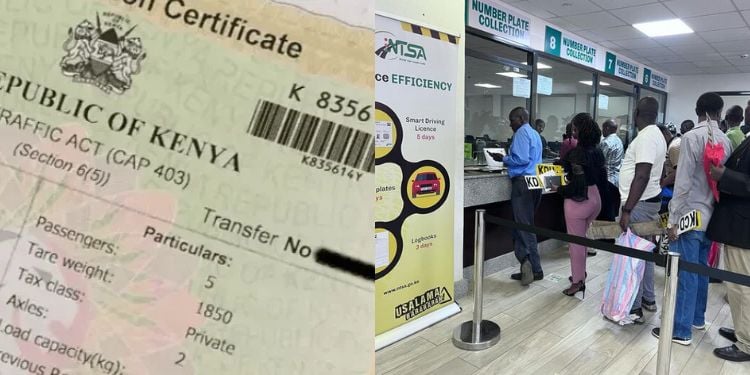
NTSA has replaced the current paper-based Certificate of Registration (logbook) with a secure, convenient digital version.
According to NTSA, the new eLogbook was to be fully integrated into all motor vehicle registration processes which include new vehicle registration, transfer of ownership, change of particulars inspection, and other related transactions.
Also Read: NTSA Explains Choices Drivers Will Have After Receiving a Traffic Violation Notification
Some of the key benefits of the eLogbook as listed by NTSA included:
- Improved Efficiency: Faster processing times and reduced administrative delays
- Enhanced Security: Reduced risk of document forgery, loss, or tampering through advanced digital safeguards.
- Greater Convenience: Easy online access for vehicle owners, insurance companies, financial institutions, and relevant stakeholders.
- Better Data Management: Real-time, accurate records to support traffic enforcement, insurance verification, and road safety initiatives, among others
Follow our WhatsApp Channel and X Account for real-time news updates.