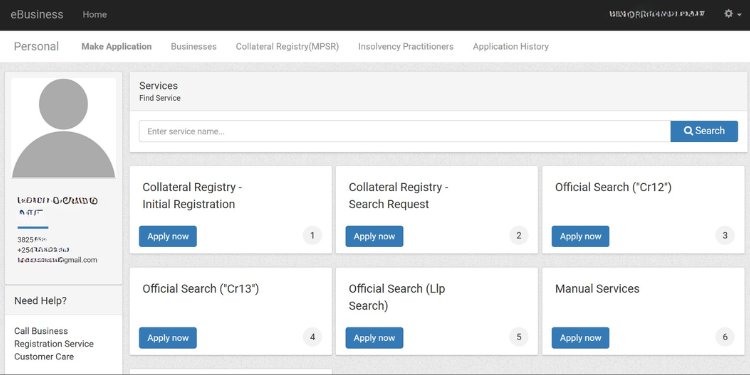

The government has released a new step-by-step guide explaining how Kenyans can change company details on the updated Business Registration Service (BRS) Version 2 platform.
The guide outlines the full process for updating information such as directors, shareholders, beneficial owners, and share transfers.
How to Change
According to BRS, all changes must now be completed through the upgraded system on the eCitizen platform.
Users begin by visiting the BRS portal and logging in with their eCitizen account.
After signing in, they must enter their email or ID number and password, then complete an OTP verification step.
Once logged in, users are directed to the dashboard where they select the Company Registry Services option.
From there, they choose the company they want to update.
The system includes a search function that allows users to identify the correct business before starting the application.
When the company is selected, users open the Company Structure Update service.
The system then asks for the applicant’s details, which must be entered accurately before any changes can begin.
The applicant must select the authorization method.
Also Read: Explained: What the Chip on Kenya’s New Maisha ID Card Does
The government has provided three authorization options meant to confirm that the changes have been approved by the company.
Board Resolution Option
The first option is a Board Resolution.
This applies when the company has passed a board decision approving the change.
If this option is selected, the system will show a list of possible updates.
These include the appointment or removal of directors, the appointment or removal of company secretaries, the transfer of shares, or changes involving beneficial owners.
The applicant must select the specific action and upload a signed board resolution.
Company General Meeting Option
The second option is a General Meeting of the Company.
This applies when shareholders pass a decision during an Annual General Meeting, Ordinary Meeting, or Special Meeting.
If selected, the applicant will upload the minutes of the meeting.
The system will then display all allowable changes under this option.
These include adding or removing directors, appointing or removing shareholders, or approving a share transfer.
Gazette Notice Option
The third option is a Gazette Notice. This is used when a company change has already been published in the Kenya Gazette.
After uploading the gazette notice, the system presents the list of changes that can be made under this method.
Also Read: Govt Reveals How Kenyan University Students Can Access Missing Marks
The user then selects the specific update and proceeds.
BRS Clarifies on Changing Process
BRS has also clarified that users must complete one type of change at a time.
The system cannot process several unrelated updates in a single application.
For instance, a company cannot appoint a new director and transfer shares in the same request, as each action must be submitted separately.
Once the authorization method is approved, the system moves to the section where the actual changes are entered.
This includes adding new directors, removing directors, adding shareholders, removing shareholders or updating beneficial ownership details.
For share transfers, the platform provides a separate section titled Share Transfer to New and Existing Shareholders.
BRS has stated that applicants must enter the details of the outgoing and incoming shareholders, the number of shares being transferred and the documents supporting the transaction.
Follow our WhatsApp Channel and X Account for real-time news updates.