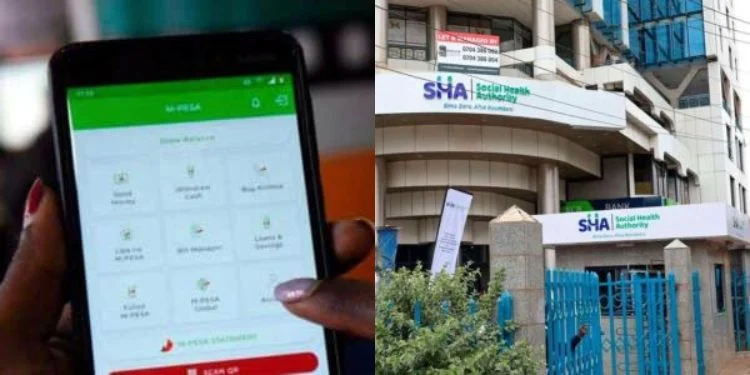
A section of Safaricom mobile users have reported receiving notifications of Social Health Assurance (SHA) scheme deductions from their M-PESA accounts.
A Kenyan, Doreen Daisy, took to social media to complain that she keeps receiving messages about failed SHA payments despite having insufficient funds.
She also noted that the deductions occur without her entering her M-PESA PIN or authorizing the transactions.
Further, she questioned the relationship between SHA and their M-PESA accounts, seeking clarity on how SHA is allowed to access funds without explicit authorization.
“Safaricom PLC, I am a concerned and worried client…sijakataa I registered for SHA. Lakini, what I do not understand is the relationship between SHA and my MPESA PIN. I keep getting such messages on my MPESA… na lle kitu inaniokolea, is that at the time I did not have the amount on my MPESA account,” she said.
However, other Kenyans noted that those experiencing the deductions may have subscribed to Ratiba, a standing order service offered by the telco.
Safaricom Responds to Automated M-PESA SHA Deductions
On January 14, 2026, the telco explained why some M-PESA users were seeing deductions from their accounts without being prompted to enter a PIN, linking the transactions to pre-authorized standing orders used to pay Kenya’s health levy.
Safaricom said the payments were being made to the Social Health Authority (SHA) through its standing order service, Ratiba.
The company noted that Ratiba allows customers to automate payments without manual authorization and can be managed by dialing *334# or via the Ratiba mini app on the M-PESA app.
“Yes, this is actually true. M-PESA Ratiba is a standing order you set up so payments are processed without manual intervention. Customers can manage their M-PESA Ratiba standing order by dialing *334# or through the Ratiba Mini App on the M-PESA App,” Safaricom Care Responded.
Also Read: Govt Eyes SACCOs for SHA Deductions as Low Uptake Bites
About M-PESA Ratiba
M-PESA Ratiba is a feature that allows registered M-PESA users to set up recurring, or standing order, payments from their accounts to other users or Lipa na M-PESA paybills.
The service is accessible via USSD by dialling *334# or through the Ratiba mini-app on the M-PESA app.
It offers two subscription options: automatic payments, which are pre-authorised and processed when funds are available, and reminder-based payments, which prompt the user to complete the transaction manually.
Only the automatic option allows deductions without requiring a PIN for each transaction, since authorization is completed when setting up the standing order.
Users can create, view, and manage these subscriptions, including setting the amount, frequency, and payment schedule.
Also Read: How to Check and Stop Unwanted SHA Auto-Deductions on M-PESA
How to Stop M-PESA–SHA Auto-Deductions
Step 1: Dial *334# on your phone or open the M-PESA app.
Step 2: Select M-PESA Ratiba from the menu to access your standing orders.
Step 3: Choose Ratiba/Standing Orders to view all active subscriptions.
Step 4: Identify any SHA-related auto-deductions or unwanted subscriptions.
Step 5: Select the specific deduction and choose the option to pause or cancel it.