
Saturday, August 29, 2026
  • News
    • Latest News
    • Breaking News
    • Fact Check
    • Investigations
    • Explainers
  • Politics
    • Global Politics
    • Elections
    • Government & Policy
    • Diplomacy
    • Conflicts & Security
    • Political Analysis
  • Business
    • Global Economy
    • Markets
    • Technology
    • Startups
    • Energy
    • Finance
  • World News
    • Americas
    • Asia
    • Asia Pacific
    • Africa
    • Europe
    • Middle East
  • Africa
    • Central Africa
    • East Africa
    • West Africa
    • Southern Africa
  • Health
    • Global Health
    • Public Health
    • Health Policy
    • Medical Research
    • Diseases & Conditions
    • Mental Health
    • Nutrition
    • Climate & Health
    • Health Explainers
  • Sports
    • World Cup 2026
    • Athletics
    • Basketball
    • Boxing
    • Cricket
    • Football
    • Formula 1
    • Golf
    • Rugby
  • Weather
    • Climate Business
    • Climate Change
    • Climate Solutions
    • Living Green
  • Culture
    • Arts
    • Film & TV
    • Food and Recipes
    • Music
    • Lifestyle
    • Travel
  • Opinion
    • Editorials
    • Letters
  • Behind The Brand
REGISTER
LOGIN
No Result
View All Result
The Kenya Times
  • News
    • Latest News
    • Breaking News
    • Fact Check
    • Investigations
    • Explainers
  • Politics
    • Global Politics
    • Elections
    • Government & Policy
    • Diplomacy
    • Conflicts & Security
    • Political Analysis
  • Business
    • Global Economy
    • Markets
    • Technology
    • Startups
    • Energy
    • Finance
  • World News
    • Americas
    • Asia
    • Asia Pacific
    • Africa
    • Europe
    • Middle East
  • Africa
    • Central Africa
    • East Africa
    • West Africa
    • Southern Africa
  • Health
    • Global Health
    • Public Health
    • Health Policy
    • Medical Research
    • Diseases & Conditions
    • Mental Health
    • Nutrition
    • Climate & Health
    • Health Explainers
  • Sports
    • World Cup 2026
    • Athletics
    • Basketball
    • Boxing
    • Cricket
    • Football
    • Formula 1
    • Golf
    • Rugby
  • Weather
    • Climate Business
    • Climate Change
    • Climate Solutions
    • Living Green
  • Culture
    • Arts
    • Film & TV
    • Food and Recipes
    • Music
    • Lifestyle
    • Travel
  • Opinion
    • Editorials
    • Letters
  • Behind The Brand
  • News
    • Latest News
    • Breaking News
    • Fact Check
    • Investigations
    • Explainers
  • Politics
    • Global Politics
    • Elections
    • Government & Policy
    • Diplomacy
    • Conflicts & Security
    • Political Analysis
  • Business
    • Global Economy
    • Markets
    • Technology
    • Startups
    • Energy
    • Finance
  • World News
    • Americas
    • Asia
    • Asia Pacific
    • Africa
    • Europe
    • Middle East
  • Africa
    • Central Africa
    • East Africa
    • West Africa
    • Southern Africa
  • Health
    • Global Health
    • Public Health
    • Health Policy
    • Medical Research
    • Diseases & Conditions
    • Mental Health
    • Nutrition
    • Climate & Health
    • Health Explainers
  • Sports
    • World Cup 2026
    • Athletics
    • Basketball
    • Boxing
    • Cricket
    • Football
    • Formula 1
    • Golf
    • Rugby
  • Weather
    • Climate Business
    • Climate Change
    • Climate Solutions
    • Living Green
  • Culture
    • Arts
    • Film & TV
    • Food and Recipes
    • Music
    • Lifestyle
    • Travel
  • Opinion
    • Editorials
    • Letters
  • Behind The Brand
No Result
View All Result
The Kenya Times ~ Trending, Breaking News and Videos
No Result
View All Result
ADVERTISEMENT

How to Pay NTSA, HELB, NHIF, KRA Using Paybill 222222

December 21, 2023
Reading Time: 7 mins read
How To Pay Ntsa, Helb, Nhif, Kra Using Paybill 222222

A Collage of NHIF, NTSA, HELB Banners PHOTO/Courtesy

FacebookTwitterLinkedInRedditWhatsApp
Advertisement

President William Ruto in June launched a unified Paybill number, 222222 that would be used to receive payment for all government entities. At the time, the President gave a deadline of December for all state agencies to migrate. 

So far, most government bodies offering crucial services have already shifted.

They include the National Transport and Safety Authority – NTSA, Kenya Revenue Authority – KRA and the Higher Education Loans Board – HELB.

In addition, Business Registration Services, Certificate of Good Conduct (DCI), Civil Registration Services, and Directorate of Immigration Services, have shifted to the new payment method.

This article explains how you can make your payments for government services using 222222. 

How to Pay HELB Via 222222

All payments to HELB can be remitted through the eCitizen gateway by channeling through the HELB systems (USSD, Mobile App, Loanee Portal or Employer Portal).
How To Pay Ntsa, Helb, Nhif, Kra Using Paybill 222222
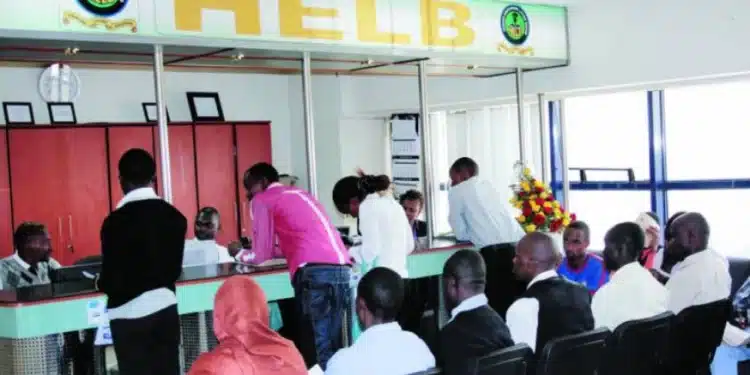
People Visiting HELB Offices. PHOTO/Courtesy

HELB payment to E-Citizen via USSD

For the first option, the USSD, the loanee will dial *642* to either log in or register.

Subsequently, select loan payment option, select Mpesa as the mode of payment.

Then enter your amount followed by the Mpesa pin to complete the transaction.

Upon completion, you will then receive notifications via SMS from E-Citizen and HELB.

Using Mobile App

For those using the HELB mobile app, you will be required to first download the mobile from Play Store.

Log in if you have an account or register to create one on the system.

Once successfully logged in, select the pay loan option and confirm the phone number you are using and the amount you intend to pay.

You will then receive a prompt and later key in your Mpesa pin to complete the payment.

To confirm receipt of your payment, HELB and E-citizen will send you SMS notifications.

Self-service portal

The same payments can be made via the Self-service portal through www.helb.co.ke.

After logging in, select the self-service option on the menu followed by loan payment.

Then select make payment and amount to pay and later click ‘Pay”.

You will then receive a notification to confirm. Once you have confirmed, the system will display to you the various options for payment.

Select your preferred option and follow the prompts before clicking on complete.


Also Read: President Ruto Merges all Govt Paybill Numbers into One


How to pay for NHIF Services 

NHIF Members and Employers can make payments using the new government pay bill number 222222 using the following steps:

Step 1: On your mobile phone, go to the M-PESA menu and select “LIPA NA MPESA”

Step 2: Select PAYBILL, select “Enter Business number”, then enter the NHIF Paybill Number – 222222

Step 3: Select “account number”, then enter account number as follows: NHIFM- National ID Number, passport, or alien ID number; For Example: NHIFM-22334455

However, it is important to note the different account numbers that you can use.

For instance, for Member contribution, you use the account, NHIFM separated with a hyphen from your ID NUMBER e.g. NHIFM-11223344.

If it’s a Member Penalty you will use the account NHIFP-ID NUMBER e.g. NHIFP-11223344

For Employer Contribution (NHIFE-ESlip NUMBER) account will be used

While for Employer Penalty (NHIFEP-EMPLOYER CODE) account will be used.

Step 4: Enter the Amount (Ksh 1500 for the first contribution during the registration process; or Ksh 500 if doing a subsequent monthly contribution)

Step 5: Enter your Mpesa Pin

Step 6: Confirm that all the details entered are correct and click “OK.”

To access NHIF services, you can visit NHIF e-Citizen Portal or NHIF Official Website or NHIF Mobile App, available on App Store or Play Store

How to pay for NHIF Penalty

Go to M-PESA, select Paybill, Enter Business number (NHIF Paybill 222222), Enter NHIFP-National ID/Alien ID/Passport number as your account number, Enter the Amount (Ksh 500 plus penalties), enter M-PESA pin and click “ok”.


Also Read: NTSA to Shut Down TIMS, Gives Way Forward


How to Pay for KRA Services  

Taxpayers making tax payments via mobile money will be required to use the Payment Registration Number (PRN) or the reference number on the payment slips generated from KRA business systems such as iTax, iCMS, EGMS, and KESRA iStudent as the account number via mobile money.

Here are the steps to follow:

  1. While using Mobile Money, you go to the M-PESA Menu and select “LIPA NA MPESA”
  2. Then select PAYBILL, select “Enter Business number”, then enter 222222.
  3. Select “account number”, then enter your PRN (Payment Registration Number) as the account number.
  4. Enter your PIN and click send.

Either way you can pay using USSD Code.

Dial *222#, select the ‘Pay KRA bill’ option, enter the e-slip (PRN) number, select the payment method as M-Pesa, and then enter your PIN to complete the payment.

How to Pay for NTSA Services

For NTSA, all online service were integrated on the E-Citizen platform where one has to log in to their portal.

Notably, only E-Citizen Login credentials (Username and Password) will be used to access NTSA services in 2024.


How To Pay Ntsa, Helb, Nhif, Kra Using Paybill 222222
NTSA Vehicles at a past event PHOTO/Courtesy

Tags: 222222Government Paybill NumberHELBKRANHIFNTSA

Related Posts

Milk Shortage In Kenya? Supermarkets Limit Purchases As Popular Brands Disappears From Shelves

Milk Shortage in Kenya? Supermarkets Limit Purchases as Popular Brands Disappear From Shelves

August 28, 2026
From Healthcare Pioneer To Microsoft East Africa Boss: Angela Nganga’s Unlikely Path To Power  

 From Healthcare Pioneer to Microsoft East Africa Boss: Angela Nganga’s Unlikely Path to Power  

August 28, 2026
Rosemary Koech Death: Kcb Mourns Head Of Data Protection As Kictanet Sets Up Ksh1M Fund

KCB Publicly Mourns Rosemary Koech as KSh 1M Children’s Fund Is Seeded

August 28, 2026
Njeri Maina Wants Dci To Probe Wangui Ngirici Over Gachagua Rally Violence

Njeri Maina Wants DCI to Probe Wangui Ngirici Over Gachagua Rally Violence

August 28, 2026
ADVERTISEMENT

The Kenya Times Facebook

LATEST NEWS

  • Besigye Rushed to Hospital as Wife Sends Emotional Message to Museveni
  • KRA Raids YouTube Earnings with New Mandatory Deductions
  • Nation Media Group Announces Major Leadership Changes After Takeover by Tanzanian Tycoon
  • Milk Shortage in Kenya? Supermarkets Limit Purchases as Popular Brands Disappear From Shelves
  •  From Healthcare Pioneer to Microsoft East Africa Boss: Angela Nganga’s Unlikely Path to Power  
  • KCB Publicly Mourns Rosemary Koech as KSh 1M Children’s Fund Is Seeded
  • The Role of the United Nations in Addressing Severe Diseases in Africa 
  • Who Is Fredah Onduso, the Actress Now Making Waves in Linda Mwananchi?
  • How Kenyans Can Check and Claim HELB Refunds After Overpaying Their Loans
  • Njeri Maina Wants DCI to Probe Wangui Ngirici Over Gachagua Rally Violence
  • Kericho Referral Hospital Upgrades Bring New Services Closer to Residents
  • Kenya’s Next Football Stars Are Rising Through the SportPesa League
  • Protests Erupt in Nairobi CBD After Govt Directive
  • Another Police Recruitment Coming Before 2027 Elections?
  • CBK Invites Investors to Bid in KSh10 Billion Treasury Bond Switch Auction
ADVERTISEMENT

Company

About Us

Our Authors

Our Experts

Social Media

Policies

Privacy Policy

House Rules

Standards and Policies

Terms and Conditions

Subscription

My Account

Contact Us

Contact Us

Join Our Team

Advertise With Us

© Copyright 2026 | The Kenya Times | All Rights Reserved

Welcome Back!

Sign In with Facebook
Sign In with Google
Sign In with Linked In
OR

Login to your account below

Forgotten Password? Sign Up

Create New Account!

Sign Up with Facebook
Sign Up with Google
Sign Up with Linked In
OR

Fill the forms below to register

All fields are required. Log In

Retrieve your password

Please enter your username or email address to reset your password.

Log In
Your Privacy and Cookies
We use cookies on our website to give you the most relevant experience by remembering your preferences and repeat visits. By clicking “Accept”, you consent to the use of ALL the cookies.
Do not sell my personal information.
Cookie settingsACCEPT
Privacy & Cookies Policy

Privacy Overview

This website uses cookies to improve your experience while you navigate through the website. Out of these cookies, the cookies that are categorized as necessary are stored on your browser as they are essential for the working of basic functionalities of the website. We also use third-party cookies that help us analyze and understand how you use this website. These cookies will be stored in your browser only with your consent. You also have the option to opt-out of these cookies. But opting out of some of these cookies may have an effect on your browsing experience.
Necessary
Always Enabled
Necessary cookies are absolutely essential for the website to function properly. This category only includes cookies that ensures basic functionalities and security features of the website. These cookies do not store any personal information.
Functional
Functional cookies help to perform certain functionalities like sharing the content of the website on social media platforms, collect feedbacks, and other third-party features.
Performance
Performance cookies are used to understand and analyze the key performance indexes of the website which helps in delivering a better user experience for the visitors.
Analytics
Analytical cookies are used to understand how visitors interact with the website. These cookies help provide information on metrics the number of visitors, bounce rate, traffic source, etc.
Advertisement
Advertisement cookies are used to provide visitors with relevant ads and marketing campaigns. These cookies track visitors across websites and collect information to provide customized ads.
Others
Other uncategorized cookies are those that are being analyzed and have not been classified into a category as yet.
SAVE & ACCEPT
LOGIN | REGISTER
  • Login
  • Sign Up
  • Cart
No Result
View All Result
  • News
    • Latest News
    • Breaking News
    • Investigations
    • Explainers
    • Fact Check
  • Politics
    • Global Politics
    • Conflicts & Security
    • Elections
    • Diplomacy
    • Government & Policy
    • Political Analysis
  • Business
    • Global Economy
    • Markets
    • Technology
    • Startups
    • Energy
    • Finance
  • World News
    • Americas
    • Asia
    • Asia Pacific
    • Africa
    • Europe
    • Middle East
  • Africa
    • East Africa
    • West Africa
    • Southern Africa
    • Central Africa
  • Health
    • Global Health
    • Public Health
    • Health Policy
    • Medical Research
    • Diseases & Conditions
    • Mental Health
    • Nutrition
    • Climate & Health
    • Health Explainers
  • Sports
    • World Cup 2026
    • Athletics
    • Basketball
    • Boxing
    • Cricket
    • Football
    • Formula 1
    • Golf
    • Rugby
  • Weather
    • Climate Business
    • Climate Change
    • Climate Solutions
    • Living Green
  • Culture
    • Arts
    • Film & TV
    • Food and Recipes
    • Lifestyle
    • Music
    • Travel
  • Opinion
    • Editorials
    • Letters
  • Behind The Brand
  • Contact Us

Not enough quota to unlock this post
Unlock left : 0
Are you sure want to cancel subscription?