


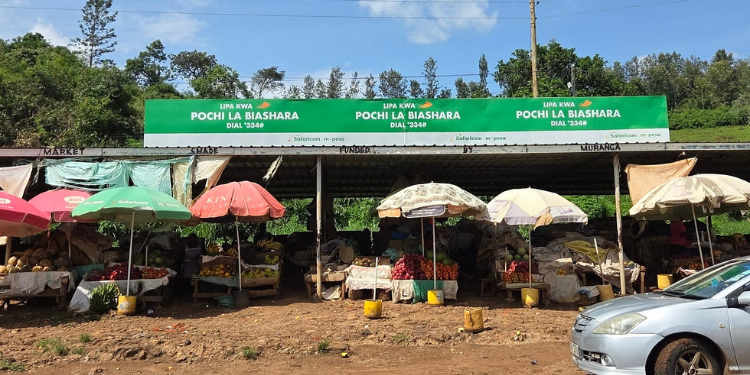
Safaricom’s Pochi la Biashara allows small-scale traders to separate business income from personal funds.
The service targets users such as food vendors, kiosk operators, boda-boda riders, and secondhand clothes dealers, and is available to all customers registered on M-PESA.
For informal businesses and freelancers, Pochi la Biashara offers a simple, no-cost solution that does not require formal registration.
Key Benefits of Choosing Pochi La Biashara
Pochi la Biashara enables traders to manage their finances more efficiently by separating business income from personal funds.
Users can withdraw cash directly from their Pochi wallet at an agent without transferring funds to their M-PESA account.
The service also allows users to pay other businesses via Lipa na Pochi, while traders can sell airtime directly from their wallets and earn a 5% commission.
Additionally, transactions received through Pochi cannot be reversed without the business owner’s approval, offering greater control and security.
Features
Through the Pochi menu, users can send money, sell airtime, pay to PayBill or Buy Goods, withdraw cash, and move funds between their Pochi and M-PESA accounts.
Other features include:
-
Send Money
-
Sell Airtime
-
Make payments to other businesses
ADVERTISEMENT -
Withdraw cash at an agent
-
Move funds between Pochi and M-PESA accounts
-
Manage Pochi account
Also Read: Safaricom to Launch Feature That Allows Someone to Spend Directly from Your M-PESA
How to Opt-in to the service
Safaricom users can opt in to Pochi la Biashara using their M-Pesa-registered line.
Currently, opt-in is available only via USSD option *334# through the following procedure:
- Using their M-PESA registered line, dial *334#
- Select Pochi La Biashara
- Select Join Pochi and Accept Terms and Conditions
- Select your Business Category from the menu provided.
Your M-PESA PIN will be used to approve Pochi la Biashara transactions.
Standard M-PESA transaction charges apply to the service.
Also Read: M-Pesa Withdrawal Charges and Send Money Fees in 2026
How Customers Can Access the Services
Safaricom offers several payment methods for customers, including:
-
Mobile App: Customers can make payments directly through the M-PESA app by selecting the appropriate payment option (e.g. Pochi La Biashara) and confirming with their PIN.
-
USSD Code: By dialing *334# on their M-PESA-registered line, customers can access various payment options, enter the required details, and complete transactions using their PIN.
-
SIM Toolkit: Customers can use the Safaricom SIM Toolkit to select payment options like “Lipa na M-PESA” then opt for “Pochi La Biashara,” enter necessary details, and confirm with their PIN.



Thanks