




![Number Of Students Enrolled For Bachelor’s, Master’s And Phd Degrees In 2024 [List]](https://cdn.thekenyatimes.com/uploads/2025/04/Graduates-during-the-7th-Graduation-Ceremony-of-Kirinyaga-University-held-on-Friday-October-13-2023.-PHOTO-Kirinyaga-University.png "Number Of Students Enrolled For Bachelor’s, Master’s And Phd Degrees In 2024 [List]")
















































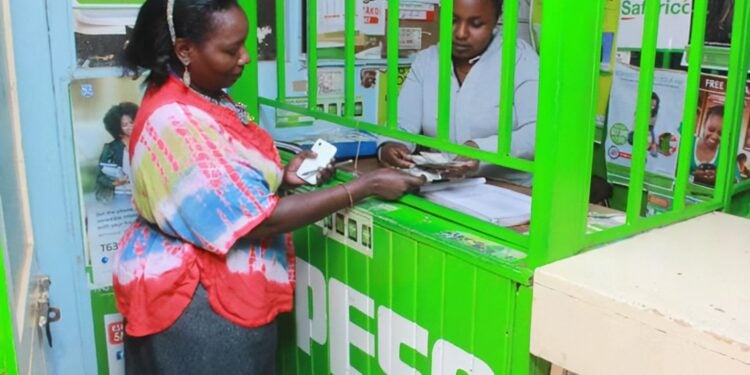
With the rise of new technology across the globe, digital disruptions have increased along with challenges such as fraud, which often leaves unsuspecting users vulnerable to losing money. Safaricom’s M-PESA platform has not been exempt, as fraudsters continually devise ways to manipulate users through fake messages and scam calls.
Criminals may send fake M-PESA messages claiming money was sent to you by mistake, then call and urge you to return it. Many unsuspecting users end up transferring their own money.
To avoid such scams, this article outlines several ways to identify legitimate M-PESA messages and avoid fake alerts.
How to Identify an Authentic M-PESA Message
- Check the Official Sender ID
Genuine M-PESA messages always come from “M-PESA” or “Safaricom”, not from random mobile numbers (e.g., 07xx-xxx-xxx).
- Confirm the Transaction via Official Methods
Verify transactions via official Safaricom channels: M-PESA App, MySafaricom App, or USSD codes (*334# or *234#).
- Verify the Transaction Code Format
A legitimate M-PESA message contains a unique alphanumeric code, for example: TB17CVOCY9.
Fake alerts often use incorrect or suspicious-looking codes.
- Look for Consistent Formatting
Authentic M-PESA messages follow a standard format, with proper dates, timestamps, and spacing. Fake messages usually appear “typed,” with odd spacing, fonts, or spelling mistakes.
How to Check Your Balance and Transaction History
To check your M-PESA balance using the Safaricom SIM Toolkit, simply open the Safaricom menu on your phone and select M-PESA.
From there, navigate to My Account and choose the Check Balance option. Once you do so, Safaricom will send you an SMS displaying your current account balance.
Also Read: Safaricom to Roll Out New M-PESA Features After Fintech 2.0 Upgrade
You can also use the M-PESA App or the MySafaricom App to instantly check your balance and full transaction history.
Other ways users can check their balance include using the USSD code *334#, using *234# to confirm transactions, and accessing account details through the same *234# menu.
How to Avoid Fake Alerts and Scams
- Do Not Share Your PIN: Never share your M-PESA PIN, SIM PIN, or ID number, even with someone claiming to be from Safaricom.
- Never Refund Money Immediately: If someone claims they sent money to you by mistake, always verify your balance before taking any action.
Also Read: New M-PESA Feature to Let Kenyans Buy and Sell NSE Shares Directly
- Be Cautious of Suspicious Requests: Ignore instructions from unknown callers asking you to dial certain codes, send money, or claim prizes or jobs that require payment first.
- Report Fraud: Forward suspicious messages to 333 (Safaricom fraud team) for free.
For reversal requests, forward the message to 456, use the M-PESA App, or call Safaricom customer care.
Follow our WhatsApp Channel and X Account for real-time news updates