






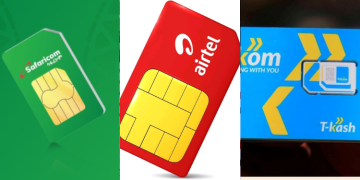


































Safaricom customers using M-Pesa to complete transactions through Paybill or Till numbers can easily make mistakes. A simple typing error, entering the wrong number, and pressing “OK” may send money to the wrong business.
Unlike reversing money sent to the wrong individual, getting a refund from a Paybill or Till transaction isn’t always straightforward. However, a reversal or recovery process may be possible — and acting quickly greatly improves the chances of getting your money back.
Reversing payments made to M-Pesa Business Tills requires more verification and additional checks compared to regular M-Pesa transfers.
According to Safaricom, the M-Pesa Business Till is an upgraded version of the familiar Lipa Na M-Pesa Buy Goods service. It allows business owners not only to receive payments but also to use the money directly from the till for various business activities.
Businesses can receive payments from customers or other companies, pay other merchants via Paybill or Buy Goods, and make customer refunds.
Tills also enhance the withdrawal of money to a nominated M-Pesa number, a bank account, or at an agent. Merchants can also sell airtime and earn a commission.
In addition, the till also comes with extra features like secure Operator IDs, real-time statements, credit facilities such as Fuliza Biashara and M-Pesa Taasi Till Loan, and the ability to operate it anytime through the M-Pesa Business app or *234*2#.
For customers, payments to a Business Till are free, except at fuel stations. Merchants, on the other hand, are charged a maximum of 0.55% per transaction (capped at Ksh200), and payments of Ksh200 or below are free.
This means that reversing money sent to the wrong Paybill or Till is more complicated, as it is not a simple wallet-to-wallet transfer but part of the business’s accounting system.
How to reverse money sent to the wrong Paybill or Till
Paybill and Till reversals require additional verification and must be handled with Safaricom’s assistance.
Before you reach out to Safaricom, make sure you have the transaction ID, the incorrect Paybill or Till number you paid, the amount you sent, and the date the transaction occurred. These details help customer care act faster. Reversal requests can be done through several channels.
Call Customer Care (Most Effective)
Dial 100 or 234, explain the error, and request a reversal. Safaricom will review the transaction, contact the merchant on your behalf, check whether any service was delivered, and begin the mediation process.
Also Read: Safaricom Explains How Fuliza Loan Limits Are Set for Active M-Pesa Users
If the merchant agrees, you’ll receive the money back within 72 hours. For Paybills, some organisations handle their own reversals, so you might be asked to contact them directly.
Chat with Zuri (Safaricom’s WhatsApp Assistant)
Send your transaction ID and state that you made a wrong Paybill or Till payment to WhatsApp number: 0722 000 10, allowing Safaricom to take over.
The telco’s agents reach out to the business, verify what happened, and mediate the reversal process. If everything checks out, the refund should reflect within 72 hours.
“Where a customer has paid and requests for reversal through our customer care office, we shall contact you on 0722000000 or from email addresses [email protected] or [email protected] to notify you and seek your permission to reverse.
We also encourage you to proceed and reverse any money that you may receive, and feel does not belong to you as soon as you receive it,” Safaricom informs M-Pesa Business Tills merchants.
A merchant who refuses to reverse an M-Pesa payment made in error risks a two-year jail term, a Ksh200,000 fine, or both. At this point, Safaricom may advise you to involve law enforcement.
The easiest way to avoid the entire headache is always to double-check the Till or Paybill number before you hit “Send.” Using the M-Pesa or Safaricom app helps a lot because the business name pops up automatically before you confirm the payment.
How everyday M-Pesa P2P reversals work
Safaricom offers two services that make M-Pesa person-to-person (P2P) transfers easier to reverse. The Hakikisha feature shows you the name and number of the person you’re sending money to before the transaction goes through. It’s designed to stop errors before they happen.
Also Read: Vodacom Rejects Kenya’s Plan to Split M-Pesa from Safaricom
DIY Reversal via SMS (456)
This applies only to Safaricom-to-Safaricom transfers and to airtime purchased for someone else.
How it works:
- Forward your original M-Pesa message to 456
- Safaricom checks if the reversal is allowed
- You receive an update confirming whether the reversal will proceed
Requirements:
- Must be requested within 24 hours
- Sender or recipient must initiate it
- The recipient must have enough balance
- Up to 3 attempts allowed
- Recipient must confirm the reversal by forwarding a follow-up message (if prompted)
This quick SMS method is not available for Paybill or Till payments, which is why those require manual mediation by Safaricom.
Follow our WhatsApp Channel and X Account for real-time news updates

This till and paybill reversals are a hectic after Safaricom automated their system